

Fake Identity Generator – Random Test Profiles for 16 Countries in 3 Easy Steps
Fake Identity Generator
Create random, fictional identities with names, addresses, phone numbers and emails for testing, mock data and design work.
All data is randomly generated and fictional. Emails use reserved example domains and phone numbers follow test ranges where they exist. Do not use for fraud or to impersonate anyone.
Use this free fake identity generator to create random, fictional people for software testing, mock databases, UI designs and training material. Pick a country and gender, choose how many identities you need, and get full names, addresses, phone numbers, emails, dates of birth, usernames and occupations in seconds.
Quick answer
A fake identity generator creates realistic-looking but entirely made-up personal details. This tool covers 16 countries, including the USA, UK, India, Pakistan, Canada, Australia, Germany and Japan, with local name styles, address formats and phone patterns. Emails use reserved example domains, so no real inbox is ever contacted. Export results as CSV or JSON for test data.
Table of Contents
Developers, testers and designers often need sample people. Real customer data cannot be used because of privacy laws, and typing “John Doe, 123 Street” fifty times makes forms and layouts look nothing like real life.
This fake identity generator fills that gap with believable, country-specific test data. Everything is generated in your browser and nothing is stored.
What Is a Fake Identity Generator?
A fake identity generator is a tool that randomly combines first names, surnames, street names, cities, postal code patterns and phone formats to build fictional profiles. The people do not exist. The goal is data that has the right shape and feel for testing, not data that matches any real person.
What Each Fake Identity Includes
- Full name using common first names and surnames for the chosen country, with family name first for China.
- Gender, age and date of birth for adults between 19 and 68.
- Street address in the local format, with city, state or region and a postal code pattern.
- Phone number with the country code. For the USA, Canada, UK and Australia, numbers come from ranges set aside for fiction and testing.
- Email and username on example.com, example.net or example.org, domains reserved for documentation.
- Occupation, height and weight for fuller user profiles.
Supported Countries
| Region | Countries |
|---|---|
| North America | United States, Canada, Mexico |
| Europe | United Kingdom, Germany, France, Spain, Italy |
| Asia | India, Pakistan, China, Japan, United Arab Emirates |
| Other | Australia, Brazil, Nigeria |
How to Use the Fake Identity Generator
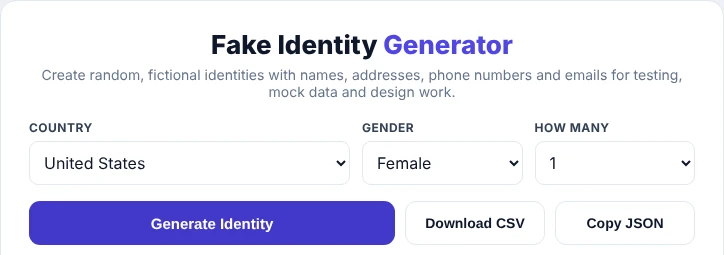
Step 1: Choose Country, Gender and Quantity
Select a country from the list, choose male, female or random, and set how many identities you want: 1, 3, 5 or 10.
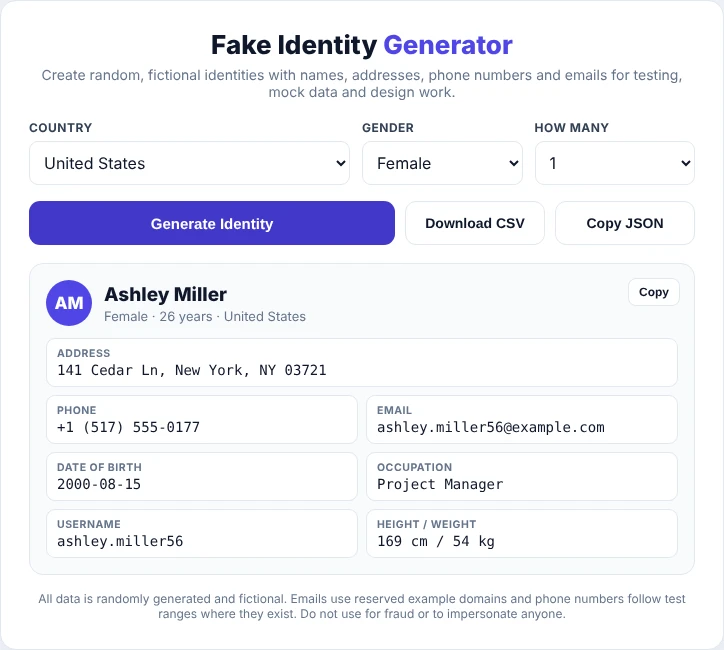
Step 2: Generate and Copy an Identity
Press Generate Identity. Each profile shows the name, address, phone, email, date of birth, occupation, username, height and weight. Use the Copy button on a card to copy that person as plain text, ready to paste into a form.
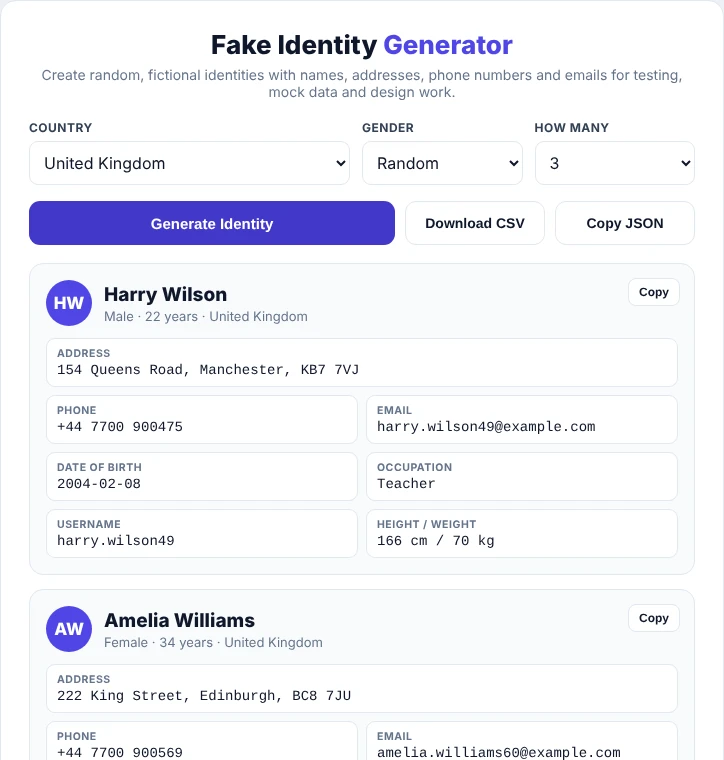
Step 3: Export Bulk Test Data
Generate several identities at once and click Download CSV to save them as a spreadsheet, or Copy JSON to paste them straight into a seed file, API test or mock server.
Common Uses for Fake Identity Data
- Software testing: fill sign-up, checkout and profile forms with realistic input, including accented names like Müller or Sánchez.
- Database seeding: create sample users for development and staging environments.
- UI and UX design: show real-length names and addresses in mockups instead of placeholder text.
- Localisation checks: test how your app handles different address layouts, postal codes and phone formats.
- Training and demos: teach CRM, HR or support software without exposing customer data.
- Fiction and games: quick character names and backgrounds for stories or tabletop games.
Using Fake Identities Responsibly
This tool is built for testing and creative work. It does not create ID numbers, bank details or card numbers, and the data will not pass any real verification. Using made-up details to deceive a business, open accounts, avoid the law or pretend to be someone else can be illegal. Keep generated identities inside test systems, and use your own real details whenever a service genuinely needs them.
Need more sample data? Format exported files with the CSV Formatter or create usernames and slugs with the Slug Generator.
Frequently Asked Questions
Is the fake identity generator free?
Yes. It is free, needs no sign-up and runs entirely in your browser.
Are the generated people real?
No. Names, addresses and other details are combined at random. Any match with a real person is a coincidence.
Can I use the fake email addresses?
They use example.com, example.net and example.org, which are reserved for documentation and cannot receive mail. Use a disposable inbox service if your test needs a working email.
Which countries are supported?
Sixteen: USA, UK, India, Pakistan, Canada, Australia, Germany, France, Spain, Italy, Brazil, Mexico, China, Japan, UAE and Nigeria.
Can I download fake identities in bulk?
Yes. Generate up to 10 at a time and use Download CSV or Copy JSON. Click again for a new batch.
Does it generate ID numbers or credit card numbers?
No. The tool deliberately leaves out government ID numbers, bank details and card numbers.