

Custom Bingo Card Generator – Create, Print and Play Free
Custom Bingo Card Generator
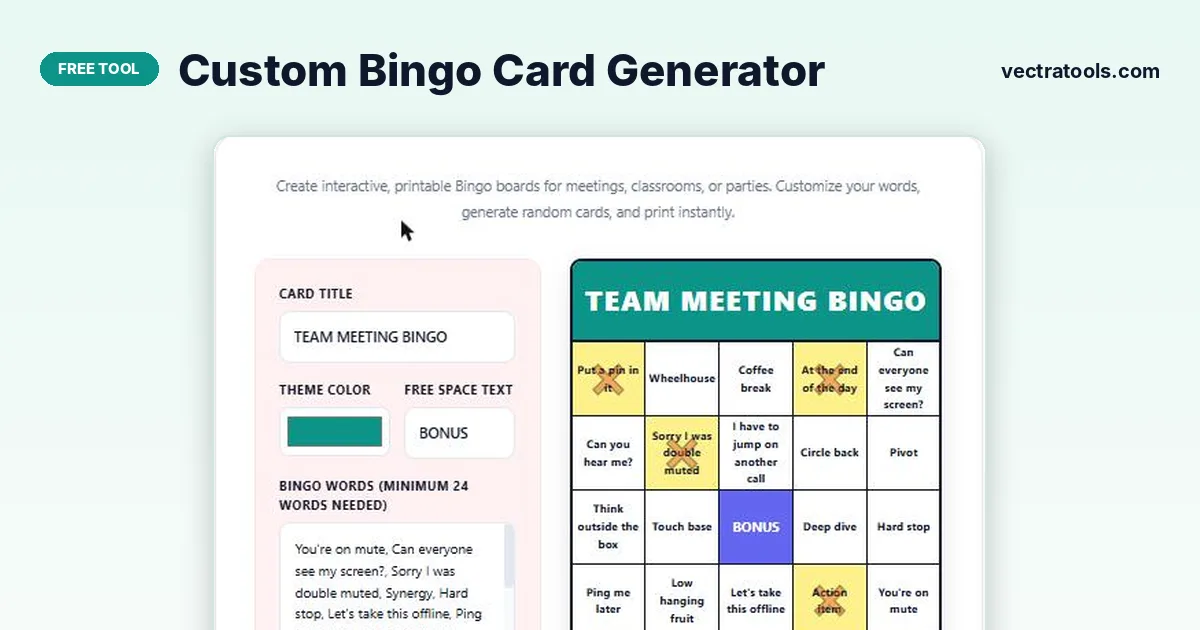
Create interactive, printable Bingo boards for meetings, classrooms, or parties. Customize your words, generate random cards, and print instantly.
Quick answer
A custom bingo card generator turns your own list of words into a random 5x5 bingo card. Type a card title, paste at least 24 words, choose a theme colour and free space text, then click Generate New Card. Each click shuffles the words into a new layout, and you can print the card or save it as a PDF.
Our free custom bingo card generator is built for office meetings, classrooms, baby showers, road trips and party games. It runs fully in your browser, needs no sign-up, and creates a fresh card every time you click, so every player can get a different board from the same word list.
Because the words are yours, you can make bingo about anything: vocabulary words for a lesson, buzzwords for a team call, gifts for a shower or sights for a family drive.
What You Can Customise
| Setting | What it does |
|---|---|
| Card title | The heading printed across the top of the card, such as TEAM MEETING BINGO |
| Theme colour | Colours the title bar so cards match your event or brand |
| Free space text | The label for the centre square, for example FREE, BONUS or a logo word |
| Bingo words | Your list of at least 24 words or phrases, separated by commas |
| Generate New Card | Shuffles your words into a new random 5x5 layout |
| Print / Save as PDF | Opens the print dialog so you can print or export the card |
How to Use the Custom Bingo Card Generator
Making a card takes under a minute. Follow these four steps.
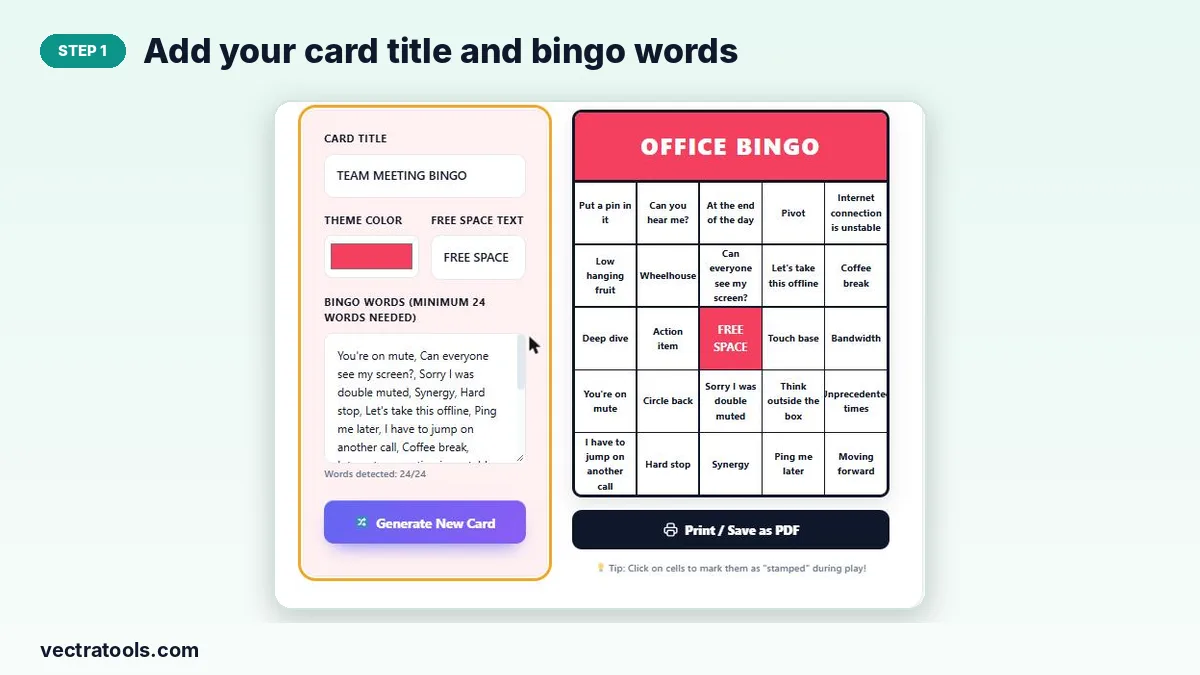
Step 1: Add Your Card Title and Bingo Words
Type a title in the Card Title box, then paste your words into the Bingo Words box separated by commas. The counter below shows how many words were detected and needs at least 24.
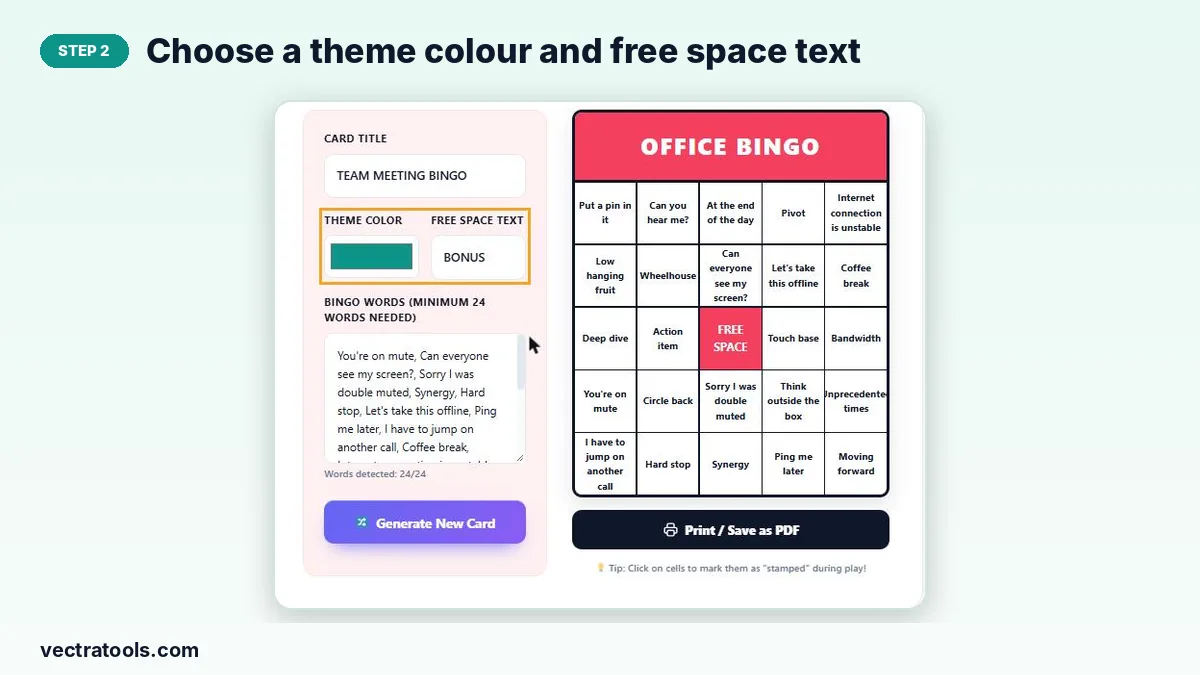
Step 2: Choose a Theme Colour and Free Space Text
Pick a colour for the title bar with the colour picker and type the text you want in the centre square, such as FREE or BONUS.
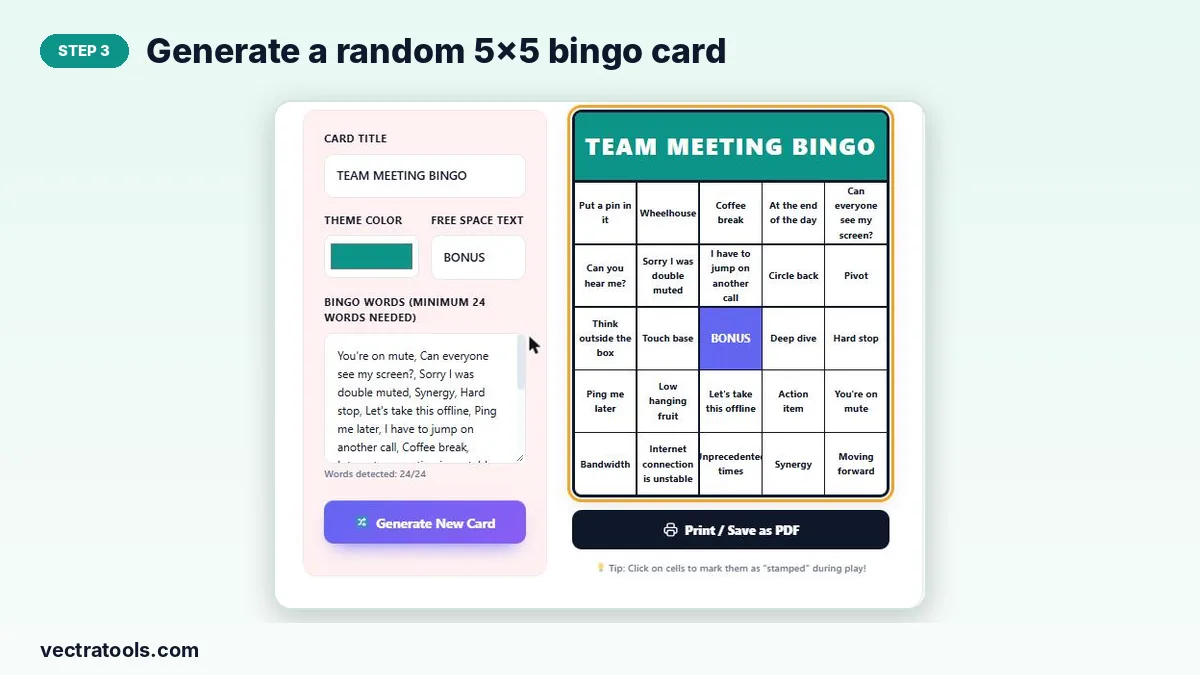
Step 3: Generate a Random 5x5 Bingo Card
Click Generate New Card. Your words are shuffled into a new 5x5 grid with the free space in the middle. Click again to get a different layout for each player.
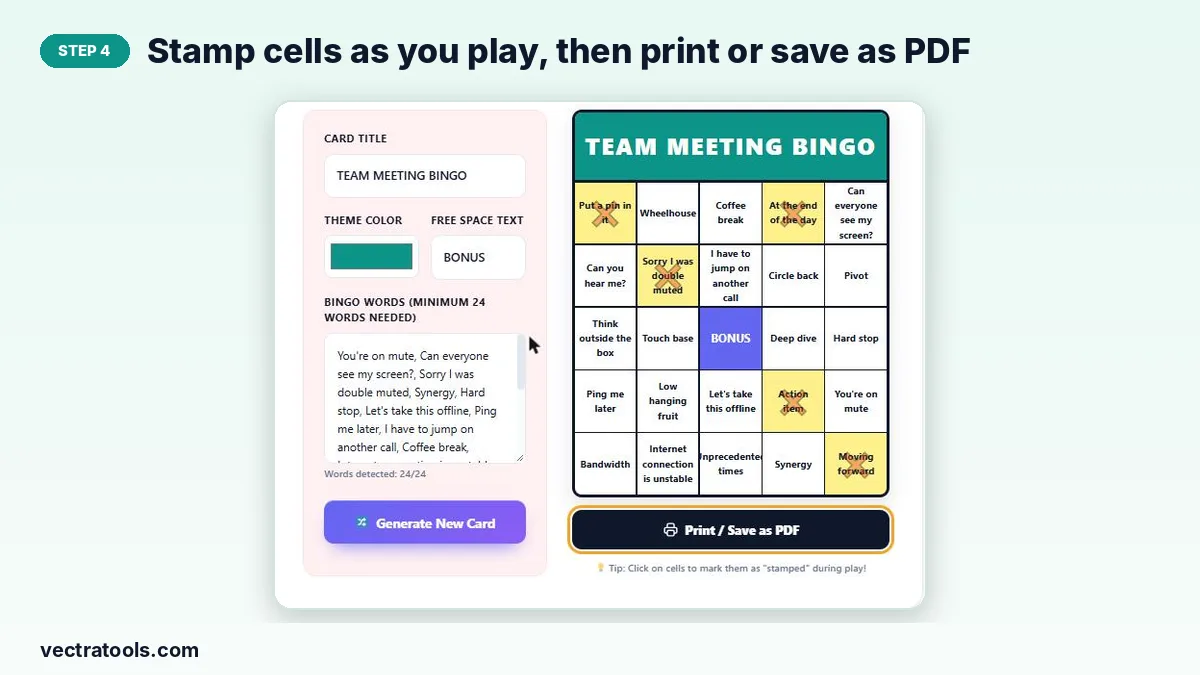
Step 4: Stamp Cells, Then Print or Save as PDF
Click any cell during play to mark it as stamped. When you are ready, click Print / Save as PDF and choose your printer or Save as PDF in the dialog.
How Many Words Do You Need?
A standard bingo card has 25 squares. The centre square is the free space, so you need at least 24 words to fill the card. If you add more than 24, the generator picks a random set each time, which means players get more varied cards and fewer people win at the same moment.
- 24 words: every card uses the same words in a different order.
- 30 to 40 words: good variety for a small group of 5 to 15 players.
- 50 or more words: best for large groups and classrooms.
Bingo Ideas You Can Make
- Meeting bingo: common phrases like “you are on mute” or “let us circle back”.
- Classroom bingo: vocabulary words, math answers, capital cities or science terms.
- Baby or bridal shower bingo: gifts guests might bring.
- Travel bingo: things to spot on a road trip, such as a red car or a bridge.
- Holiday bingo: seasonal words for Christmas, Eid, Halloween or New Year parties.
Tips for Running a Bingo Game
- Generate a new card for each player so no two boards match.
- Write the full word list on slips of paper and draw them from a bowl as the caller.
- Agree on winning patterns first: a line, four corners or a full card.
- Print on thicker paper or use a dry-erase sleeve so cards can be reused.
Why Use a Custom Bingo Card Generator?
Drawing a bingo grid by hand and writing in 24 words for every player is slow, and the cards often end up with the same order. A custom bingo card generator does the shuffling for you, so each card is different and fair.
With this custom bingo card generator you can also reuse one word list for the whole group. Keep the list in a note, paste it in next time, and you can make a fresh set of cards for your next meeting, lesson or party in seconds.
- Every card is random, so players do not share the same winning line.
- Theme colours and titles make cards look matched to your event.
- Printing or saving as PDF lets you play on paper or on a tablet.
- The custom bingo card generator works on phones, tablets and laptops.
Frequently Asked Questions
Is this custom bingo card generator free?
Yes. It is free to use with no sign-up and no watermark.
How many words do I need for a bingo card?
At least 24 words, because the centre square is a free space on a 5x5 card.
Can I make a different card for each player?
Yes. Click Generate New Card again and the words are shuffled into a new layout every time.
Can I print the bingo cards?
Yes. Click Print / Save as PDF and either print the card or choose Save as PDF in the print dialog.
Can I change the free space text?
Yes. Type any word, such as FREE, BONUS or your event name, in the Free Space Text box.
Are my words saved or uploaded?
No. The card is created in your browser and nothing is sent to a server.