

Base64 File Encoder Decoder – Convert Files to Base64 and Back
Base64 File Encoder
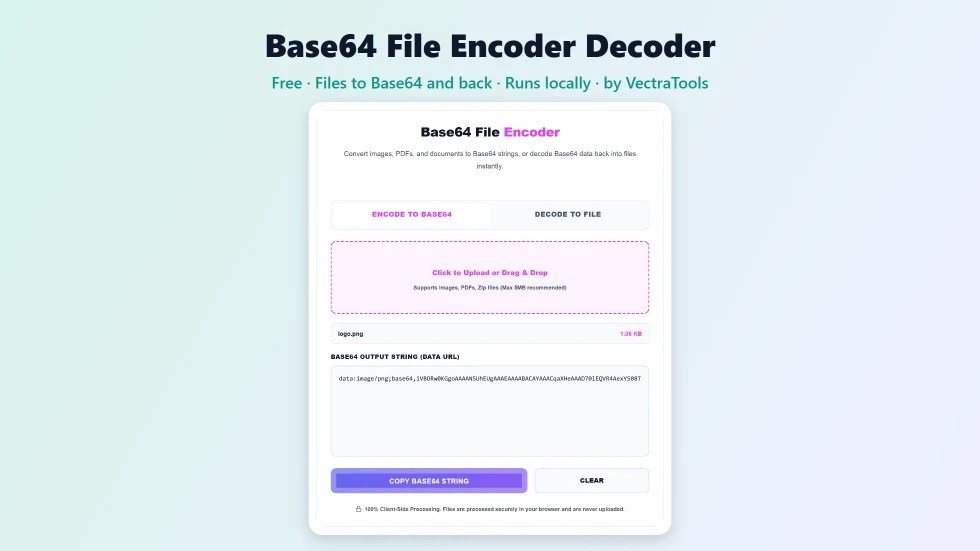
Use this free Base64 file encoder decoder to convert images, PDFs and documents to Base64, or decode Base64 back into a file.
Quick answer
To use this Base64 file encoder decoder, open Encode to Base64 and upload or drag in a file such as a PNG, PDF or ZIP. The tool converts it into a Base64 data URL (data:mime/type;base64,...) that you can copy with one click. To go the other way, open Decode to File, paste a Base64 string or data URL and press Decode & Download File to get the original file back. Files never leave your browser.
Base64 turns binary files into plain text, which makes it possible to embed images in HTML or CSS, send files through JSON APIs or store small attachments in a database. This free Base64 file encoder decoder handles both directions: file to Base64 and Base64 back to a file.
I tested it with text, image and binary files and checked that decoded downloads match the original byte for byte, including files with non-English characters. It accepts both full data URLs and raw Base64 strings when decoding.
Base64 File Encoder Decoder Features
| Feature | How it works |
|---|---|
| File to Base64 | Encode images, PDFs, ZIPs, fonts and other files |
| Data URL output | Includes the MIME type, ready for HTML img src or CSS url() |
| Drag and drop | Drop a file onto the upload area or click to browse |
| Base64 to file | Paste Base64 and download the original file |
| Accepts raw or data URL | Decodes with or without the data: prefix |
| Clear error messages | Invalid Base64 shows a helpful warning |
| One-click copy | Copy the full Base64 string instantly |
| Private | Files are processed locally and never uploaded |
How to Use the Base64 File Encoder Decoder
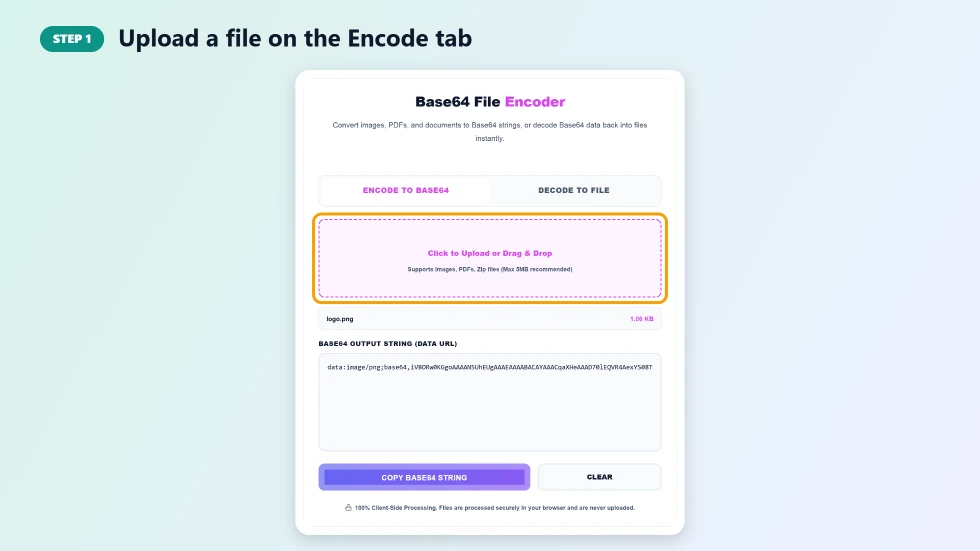
Step 1: Upload a file on the Encode tab
On Encode to Base64, click the upload area or drag a file onto it. Images, PDFs, ZIP files and most other types work. Files up to about 5 MB are recommended, because Base64 makes data roughly a third larger and very long strings can slow your browser.
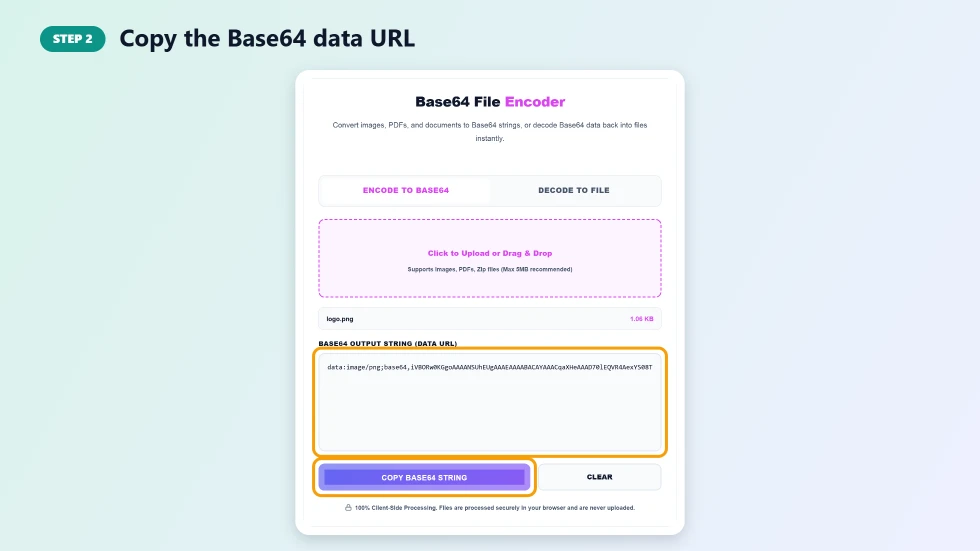
Step 2: Copy the Base64 data URL
The Base64 Output String box fills with a data URL that starts with data:, followed by the MIME type and the encoded content. Press Copy Base64 String and paste it into your HTML, CSS, JSON or code.
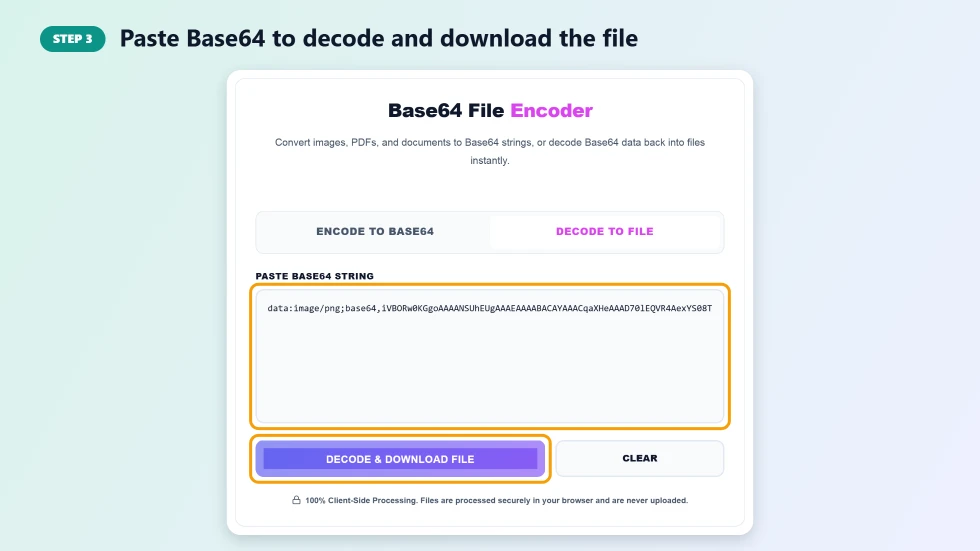
Step 3: Paste Base64 to decode and download the file
Switch to Decode to File, paste a Base64 string or data URL and press Decode & Download File. The tool rebuilds the original file and downloads it. If the text is not valid Base64, you will see a warning instead.
When to Use Base64 Encoding
- Inline images: embed small icons or logos directly in HTML or CSS to save a request.
- Email templates: include images that load without external links.
- APIs and JSON: send file contents as text in a request or response.
- Config and test data: store small binary fixtures in code or environment variables.
- Debugging: inspect or recover files received as Base64 from an API.
Base64 File Encoder Decoder Tips
- Base64 output is about 33% bigger than the original file, so use it for small assets.
- Large Base64 images inside CSS or HTML can slow down page rendering; link to normal files when possible.
- When decoding raw Base64 without a data: prefix, the file is saved with a generic .bin name; rename it with the right extension.
- Base64 is encoding, not encryption. Anyone can decode it.
How Base64 Works
Base64 takes the bytes of a file three at a time (24 bits) and splits them into four 6-bit groups. Each group maps to one of 64 safe characters: A to Z, a to z, 0 to 9, plus and slash. If the file length is not a multiple of three, one or two equals signs are added as padding at the end.
Frequently Asked Questions
Is this Base64 file encoder decoder free?
Yes. It is free with no sign-up and no file count limits.
Are my files uploaded to a server?
No. Encoding and decoding happen entirely in your browser, so your files never leave your device.
What is the maximum file size?
There is no hard limit, but files up to about 5 MB are recommended. Bigger files create very long strings that can slow down your browser.
Can I decode Base64 without the data: prefix?
Yes. Paste the raw Base64 and the tool will decode it. The file is then saved with a generic name, so rename it with the correct extension.
Is Base64 the same as encryption?
No. Base64 only changes how data is written. Anyone can decode it, so do not use it to protect secrets.
How do I use the output in HTML?
Paste the data URL into an image tag, for example img src="data:image/png;base64,...", or into CSS as background-image: url(...).