

Word Frequency Counter – Find Your Most Used Words and Keyword Density
Word Frequency Counter
Use this free word frequency counter to find the most used words in any text and see their keyword density.
| # | Keyword / Word | Count | Density |
|---|---|---|---|
Start typing or paste text to see keyword density. | |||
Quick answer
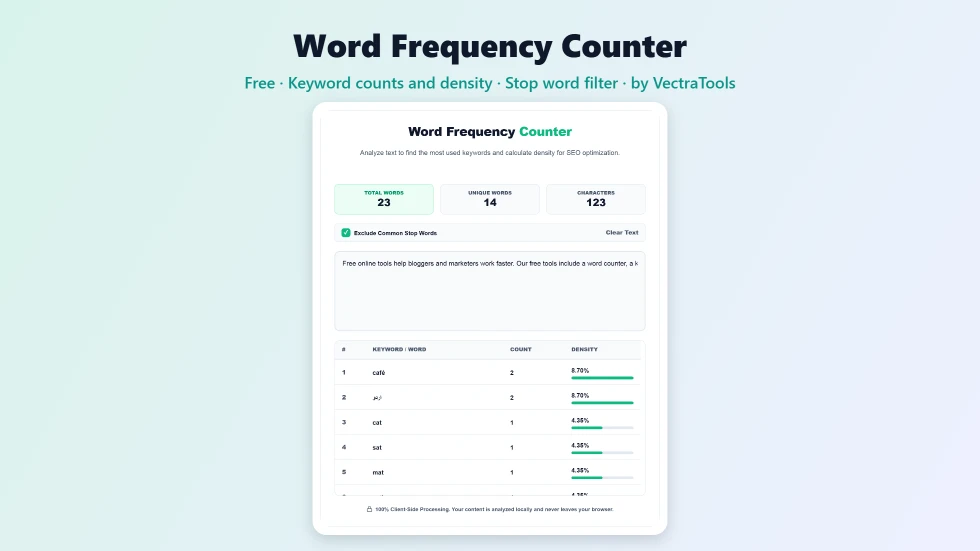
To use this word frequency counter, paste or type your text into the box. The tool instantly shows total words, unique words and characters, plus a table of every word ranked by how often it appears, with its count and density as a percentage of all words. Keep Exclude Common Stop Words ticked to hide words like the, and and of, so the real keywords rise to the top.
Knowing which words you use most helps with SEO, editing and analysis. Overused words make writing repetitive, and in SEO a keyword that appears too rarely or far too often can hurt rankings. This free word frequency counter ranks every word in your text and shows its density, so you can spot both problems at a glance.
I improved the word detection so contractions like don't and possessives like cat's stay as one word, hyphenated terms like SEO-friendly are counted correctly and punctuation such as dashes is no longer counted as a word. It also works with accented letters and non-Latin scripts such as Urdu and Arabic.
Word Frequency Counter Features
| Feature | How it works |
|---|---|
| Live analysis | Results update as you type or paste |
| Total and unique words | Plus a character count for the whole text |
| Ranked word table | Every word sorted by how often it appears |
| Keyword density | Each word's share of the total word count as a percentage |
| Stop word filter | Hide common words like the, is and and to focus on keywords |
| Smart word detection | Handles contractions, hyphenated words and accented letters |
| Any language | Counts words in Latin and non-Latin scripts |
| Private | Your text is analysed in the browser and never uploaded |
How to Use the Word Frequency Counter
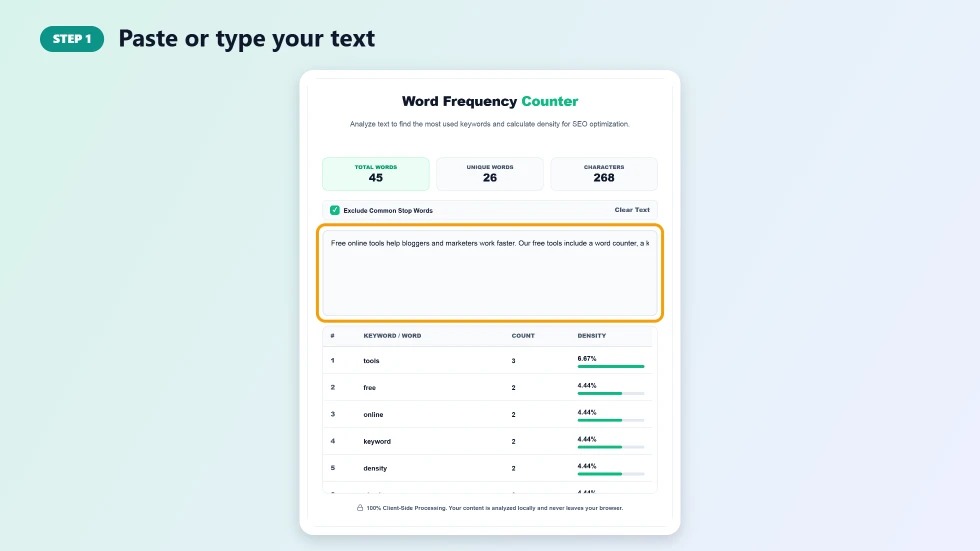
Step 1: Paste or type your text
Click the text box and paste an article, essay, product description or web page copy. You can also type directly. The counters at the top update immediately with total words, unique words and characters.
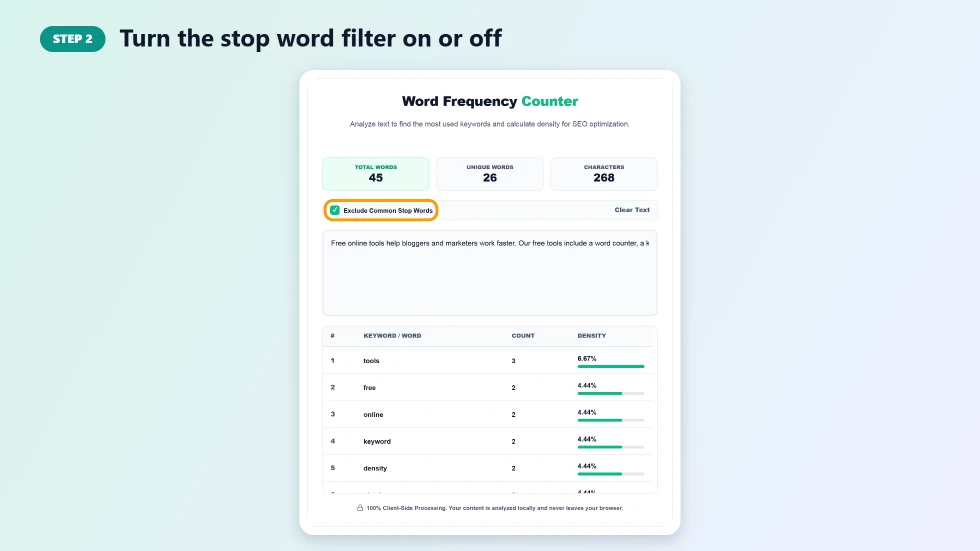
Step 2: Turn the stop word filter on or off
Exclude Common Stop Words is on by default, which hides very common words such as the, and, of and to, as well as plain numbers. Untick it if you want to see every word, for example when checking how often you start sentences with the same word.
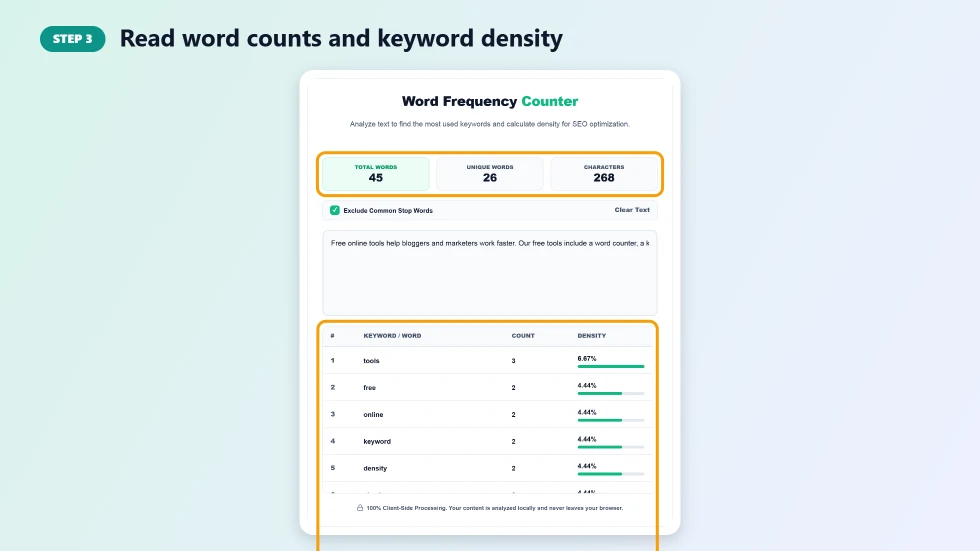
Step 3: Read word counts and keyword density
The table lists each word with its rank, count and density. Density is the count divided by the total number of words. For SEO, check that your main keyword appears naturally, often around 0.5% to 2% of the text, without stuffing.
How to Use Word Frequency for SEO
- Check your focus keyword: make sure it appears in a natural number of places.
- Avoid keyword stuffing: very high density for one phrase can look spammy to readers and search engines.
- Find related terms: words near the top show what your page is really about.
- Compare with competitors: paste a top-ranking article to see which topics it covers.
Word Frequency Counter Tips for Better Writing
- Look for filler words you overuse, such as really, very or just, and cut them.
- Replace repeated adjectives with stronger, more specific words.
- Turn off the stop word filter to catch repeated sentence openers.
- Use unique word count as a rough measure of vocabulary variety.
- Analyse each section separately in long documents for more precise results.
How Keyword Density Is Calculated
Keyword density = (number of times the word appears ÷ total words) × 100. For example, a word used 10 times in a 1,000-word article has a density of 1%. Total words always include every word in the text, even when the stop word filter hides some of them from the table, so densities stay accurate.
Frequently Asked Questions
Is this word frequency counter free?
Yes. It is free with no sign-up and no word limit for normal use.
What are stop words?
Stop words are very common words such as the, a, and, of and to. They carry little meaning on their own, so hiding them makes real keywords easier to see.
What is a good keyword density?
There is no fixed rule, but most SEO writers aim for the main keyword to appear naturally, often around 0.5% to 2%. Readability matters more than hitting a number.
Does it count numbers?
Numbers are counted as words in the totals. When the stop word filter is on, plain numbers are hidden from the table.
Does it work with other languages?
Yes. It detects words in any script, including accented European languages, Urdu, Arabic and Hindi. The stop word list is English.
Is my text stored?
No. All analysis happens in your browser, and your text is never sent to a server.