

Plank Timer Online – Free Core Workout Timer in 3 Easy Steps
Plank Timer
Build core strength with this plank timer online. Features audio cues and live form-check reminders so you can keep your eyes off the screen.
Use this free plank timer online to time your planks without watching a clock. Pick a preset or set your own target, choose the plank variation and press start. A short get-ready countdown lets you get into position, then the timer counts down with form reminders and audio cues until you are done.
Quick answer
Choose 30 seconds, 1, 2 or 5 minutes (or type a custom time), pick a variation such as forearm, high or side plank, and press Start Plank. You get a 5-second countdown to get into position, then the hold timer runs. Use Hold / Pause for a break, Resume to continue and Reset to start over.
Table of Contents
The plank is one of the simplest core exercises: no equipment, a little floor space and good form. The hard part is keeping track of time while your arms shake. A timer that talks to you with sounds and short tips means you can keep your eyes on the floor and your body in a straight line.
This plank timer online works on phones, tablets and laptops. Prop your phone up nearby and let it run.
Plank Timer Features
- Presets: 30 seconds, 1 minute, 2 minutes and 5 minutes.
- Custom target: set any minutes and seconds.
- Variations: standard forearm, high plank (straight arm), side plank left and right, and plank with shoulder taps.
- Get-ready countdown: 5 seconds to get into position.
- Live tips and audio cues: reminders to keep your back straight and a push near the end. Use the speaker icon to mute.
- Pause, resume and reset at any point.
How to Use the Plank Timer Online
Step 1: Set Your Target Time and Variation
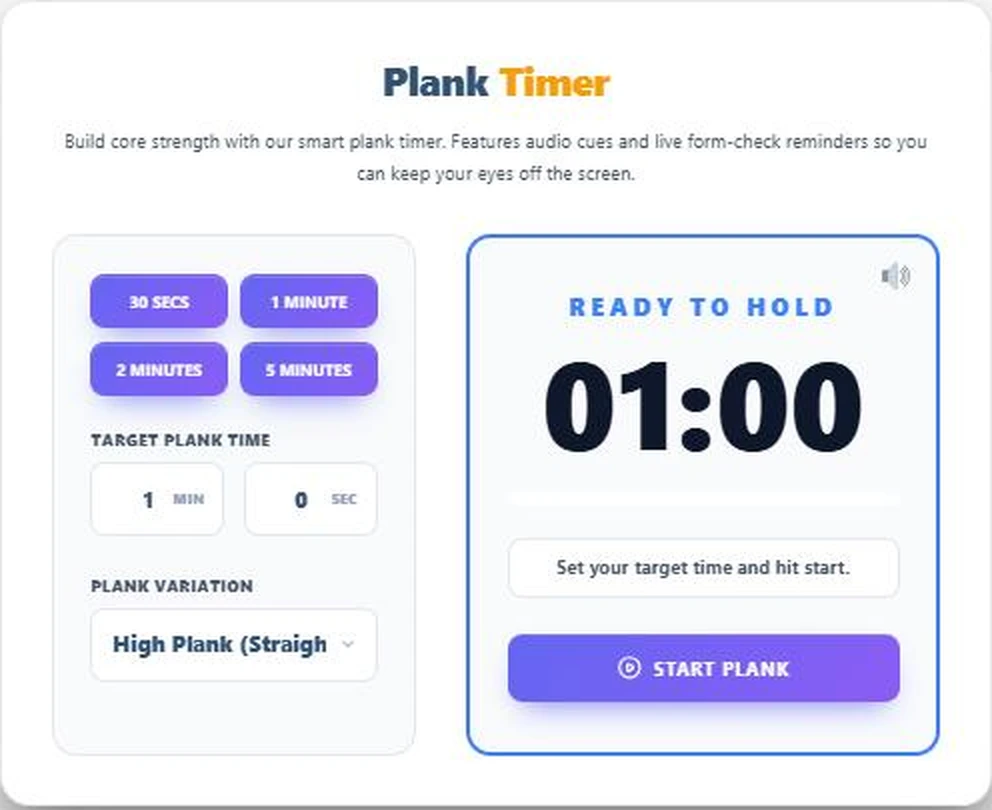
Tap a preset such as 1 Minute or type your own time under Target Plank Time. Choose a Plank Variation, here High Plank (Straight Arm). The display shows Ready to Hold 01:00.
Step 2: Start and Hold the Plank
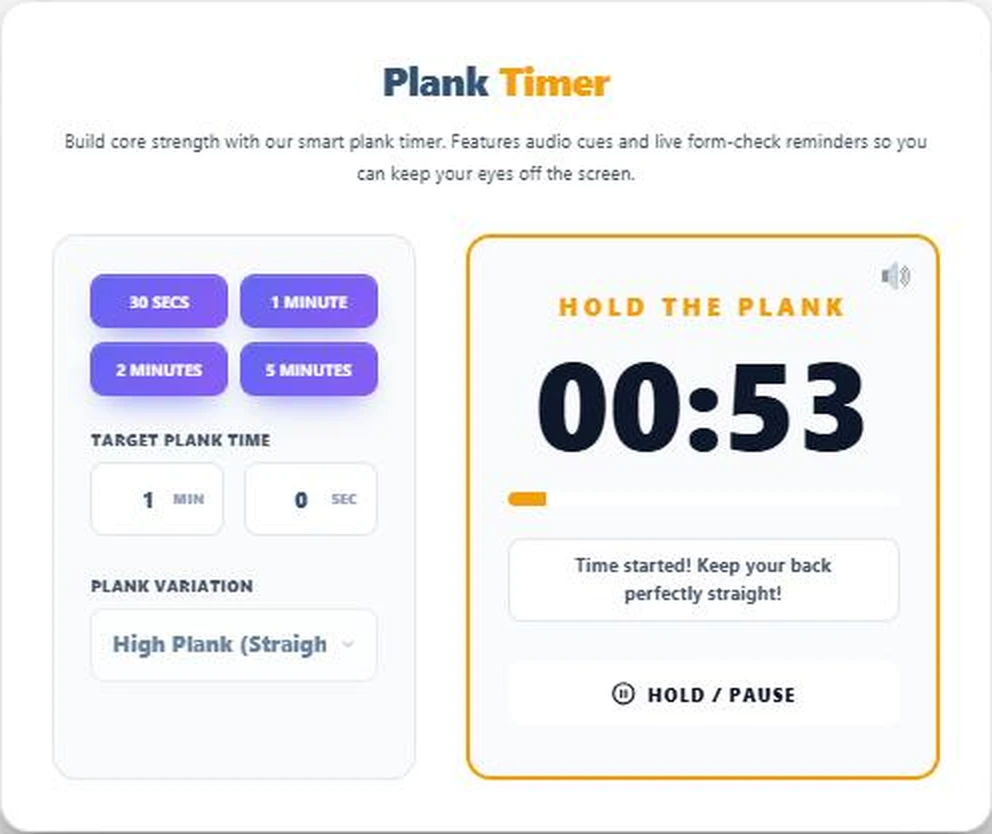
Press Start Plank. After the 5-second get-ready countdown, the panel switches to Hold the Plank and the time counts down while the progress bar fills. Tips such as “Keep your back perfectly straight!” appear under the timer. Tap Hold / Pause if you need a break.
Step 3: Finish and Reset
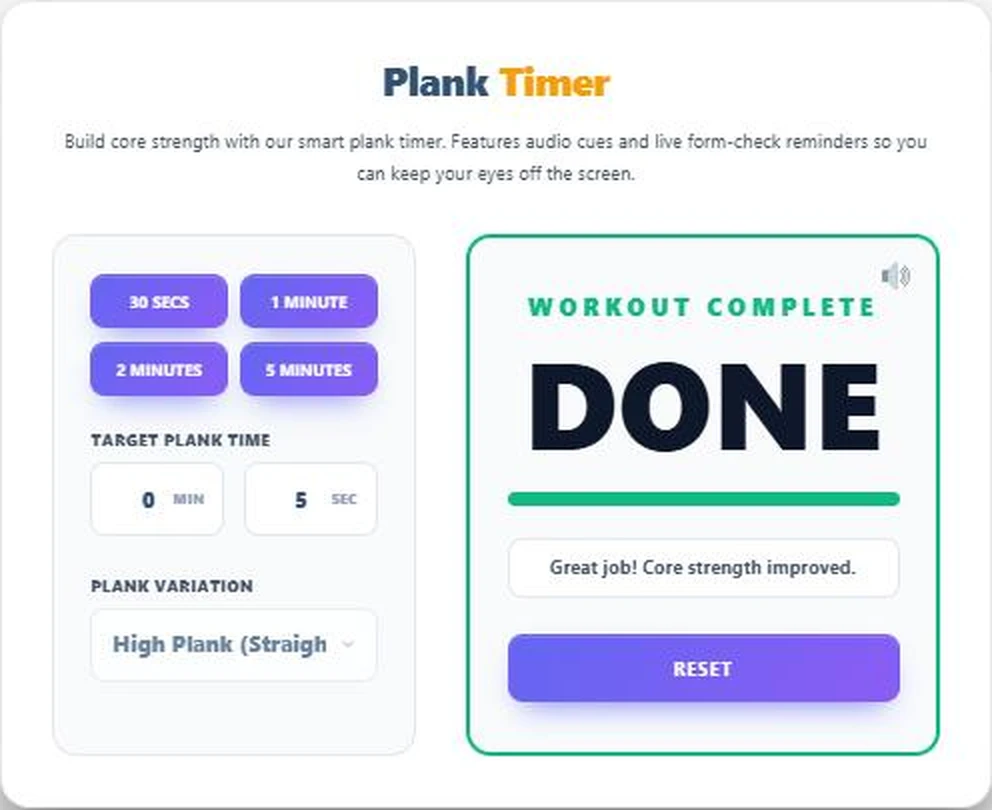
When the time runs out you see Workout Complete and Done with a full progress bar. Press Reset to set up your next round or try a different variation.
Good Plank Form
- Place elbows (or hands for a high plank) directly under your shoulders.
- Keep a straight line from head to heels. Do not let the hips sag or pike up.
- Squeeze your glutes and brace your stomach as if expecting a light punch.
- Look at the floor slightly ahead of your hands to keep your neck neutral.
- Breathe steadily. Holding your breath makes the hold harder.
A Simple 4-Week Plank Plan
| Week | Hold time | Rounds | Rest between rounds |
|---|---|---|---|
| 1 | 20 to 30 seconds | 3 | 30 to 60 seconds |
| 2 | 30 to 45 seconds | 3 | 45 seconds |
| 3 | 45 to 60 seconds | 3 | 45 seconds |
| 4 | 60 seconds or longer | 3 | 45 seconds |
Move up only when you can finish every round with good form. Three to four sessions a week is plenty for most people. A shorter hold with perfect form is worth more than a long hold with a sagging back.
Choosing a Variation
- Forearm plank: the classic choice and a good place to start.
- High plank: also works the shoulders and arms, like the top of a push-up.
- Side plank: targets the obliques. Do both sides for the same time.
- Shoulder taps: adds an anti-rotation challenge. Keep the hips still as you tap.
Stop if you feel pain, especially in the lower back. If you have an injury or a health condition, check with a qualified professional before starting a new exercise routine.
Between sets, give your mind a quick break with Tic Tac Toe Online or the Daily Word Game.
Frequently Asked Questions
How long should I hold a plank?
Many beginners start with 20 to 30 seconds and build up. Holding with good form matters more than the time.
Does the plank timer have sound?
Yes. It plays audio cues during the hold. Tap the speaker icon to mute it.
Can I set a custom plank time?
Yes. Type any minutes and seconds under Target Plank Time.
Is there a countdown before the timer starts?
Yes. You get 5 seconds to get into position.
Can I pause the timer?
Yes. Tap Hold / Pause, then Resume or Reset.
Is the plank timer free?
Yes. It runs in your browser with no app or sign-up.