

Date Difference Calculator – Days, Weeks and Months Between Dates
Multi-Function Date Calculator
Compute exact durations, append/subtract structural time frames, and check business working days indices instantly

Quick answer
A date difference calculator tells you how much time lies between two dates. Pick a start date and an end date and it shows the total number of days plus a breakdown in years, months, weeks and remaining days. For example, 1 January 2026 to 15 March 2026 is 73 days, or 10 weeks and 3 days. The end date itself is not counted.
Our free date difference calculator has three tabs in one tool. Date Difference measures the gap between two dates, Add/Subtract Time moves a date forward or back by years, months and days, and Business Days counts working days from Monday to Friday. Results update as soon as you change a date.
How the Date Difference Calculator Counts Time
The main result is the exact number of days from the start date up to, but not including, the end date. That is the same way you count "days until" an event. The breakdown then shows the same span in other units: full calendar years and months, and separately the total in weeks with the remaining days. Leap years and months of different lengths are handled automatically.
| Start date | End date | Total days | Breakdown shown |
|---|---|---|---|
| 1 Jan 2026 | 15 Mar 2026 | 73 | 0 years, 2 months, 10 weeks, 3 days |
| 1 Jan 2026 | 31 Dec 2026 | 364 | 0 years, 11 months, 52 weeks, 0 days |
| 31 Jan 2026 | 28 Feb 2026 | 28 | 0 years, 0 months, 4 weeks, 0 days |
| 10 Feb 2024 | 6 Oct 2026 | 969 | 2 years, 7 months, 138 weeks, 3 days |
How to Use the Date Difference Calculator
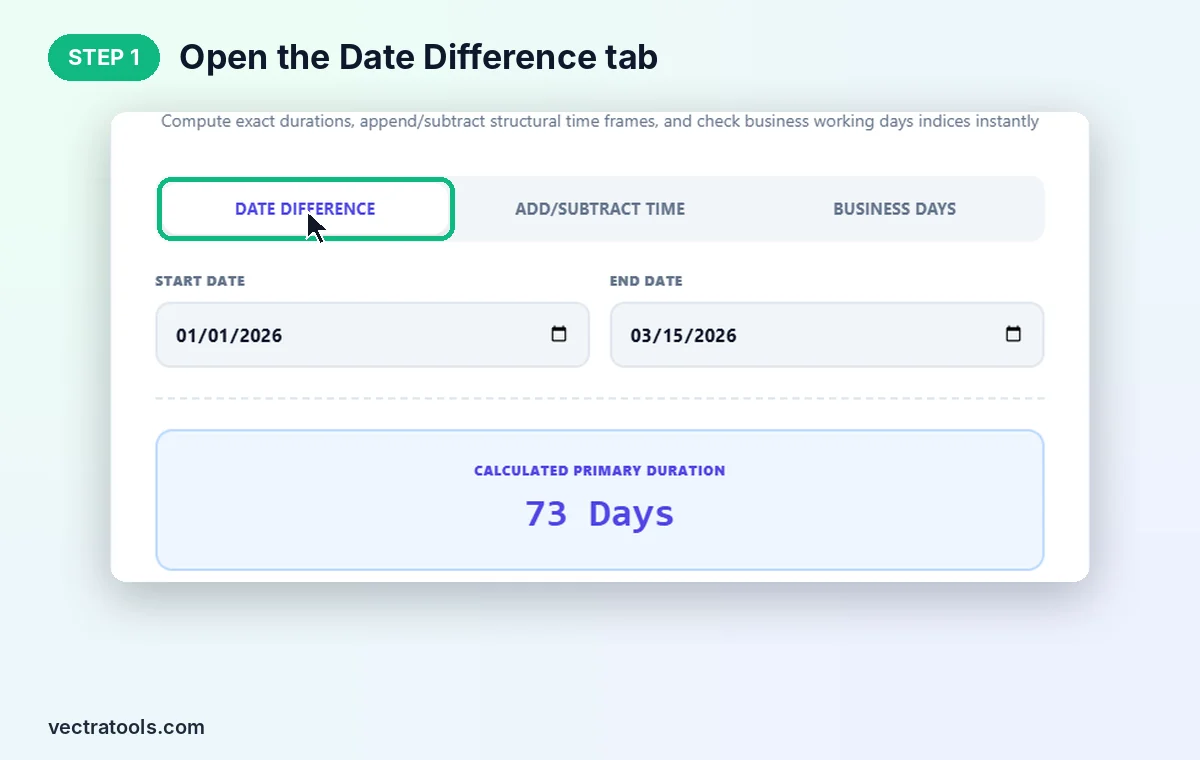
Step 1: Open the Date Difference Tab
Open the date difference calculator. The Date Difference tab is selected by default. The other two tabs are covered in step 4.
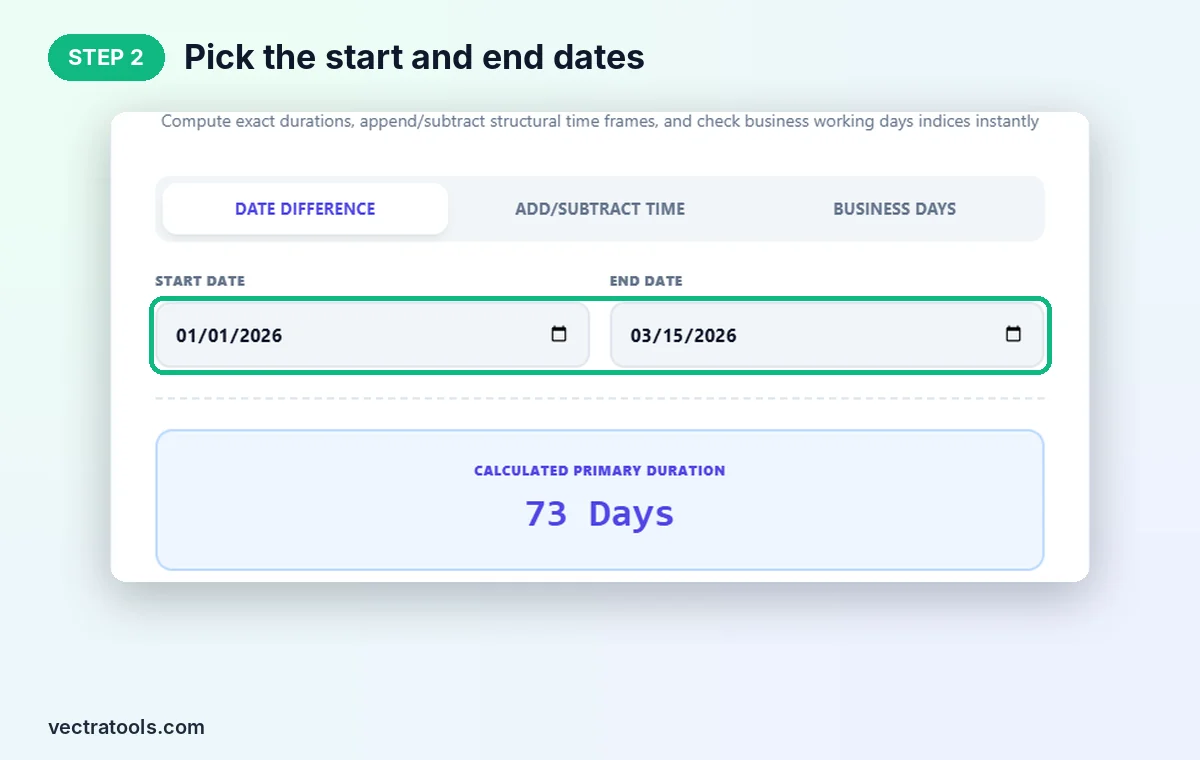
Step 2: Pick the Start and End Dates
Choose a Start Date and an End Date with the calendar pickers. We use 01/01/2026 and 03/15/2026. Put the earlier date first for a clear result.
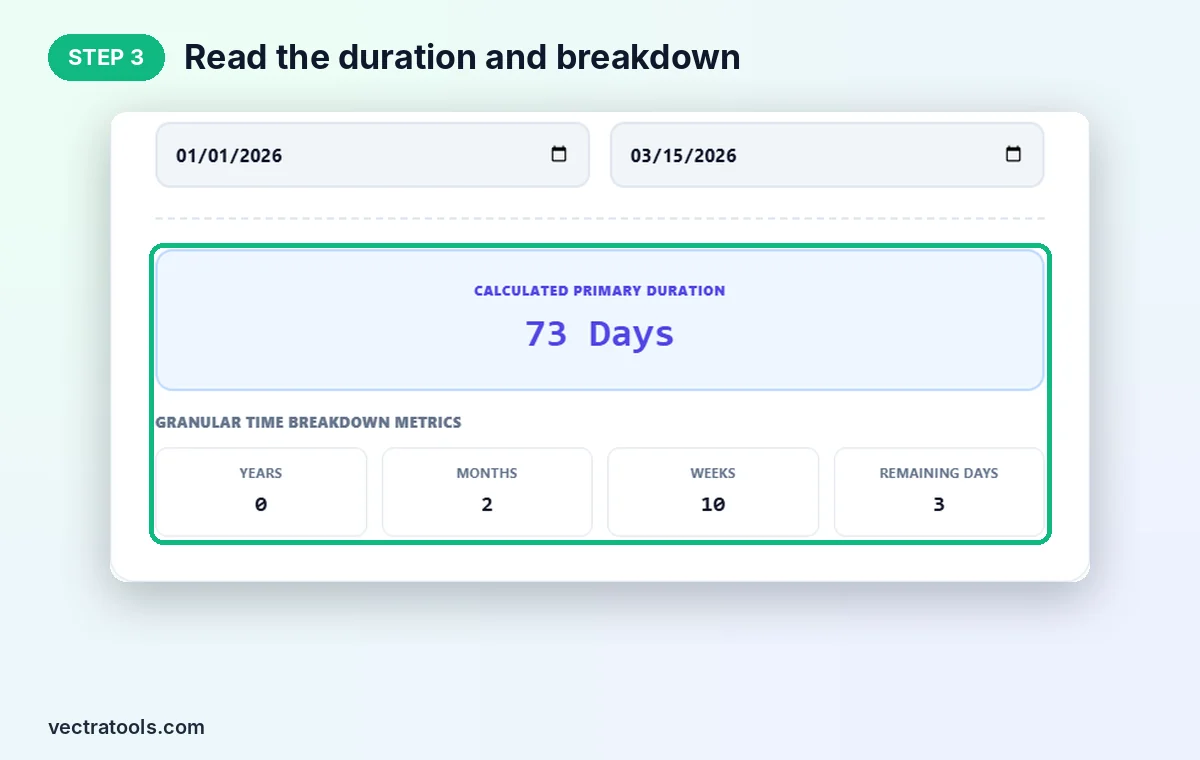
Step 3: Read the Duration and Breakdown
Calculated Primary Duration shows 73 Days. Below it, Granular Time Breakdown Metrics shows 0 years, 2 months, 10 weeks and 3 remaining days.
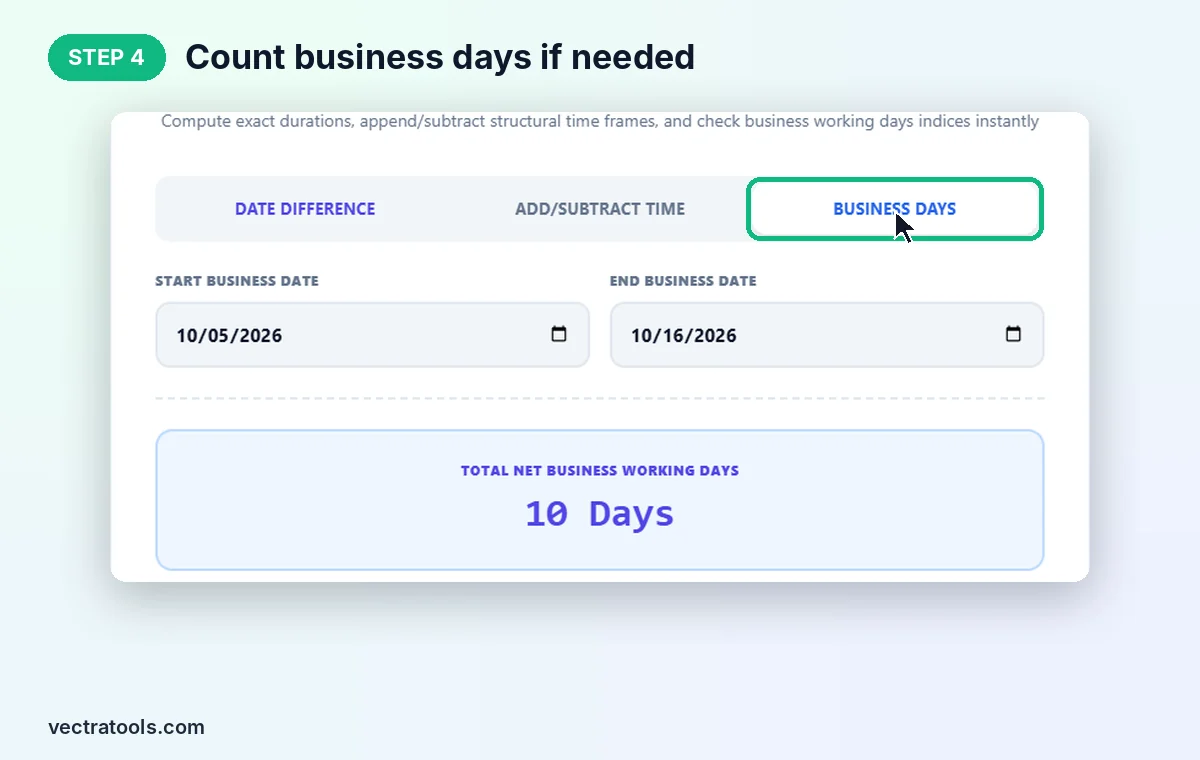
Step 4: Count Business Days or Add Time
Switch to Business Days to count working days. From Monday 5 October to Friday 16 October 2026 it shows 10 Days, with 2 weekend days skipped out of 12 days counted. Use Add/Subtract Time to find a date a set number of years, months or days before or after another date.
Where a Date Difference Calculator Helps
- Project planning: measure the time between kickoff and deadline, in days or weeks.
- Age and anniversaries: see how long ago an event happened in years and months.
- Contracts and notice periods: check how many days remain in a term or trial.
- Travel: count the days of a trip or the time until departure.
- Pregnancy and fitness plans: track progress in weeks and days.
Date Difference Calculator Tips
- Want to include both the start and end date? Add 1 to the total days shown.
- The Business Days tab counts both start and end dates and skips Saturdays and Sundays. Public holidays are not removed, so subtract them yourself.
- When adding months to the 29th, 30th or 31st, the date can roll into the next month. For example, 31 January plus 1 month gives 3 March 2026, because February has only 28 days.
- Always enter the earlier date as the start date. Reversed dates give a negative result.
The date difference calculator runs in your browser with no sign-up. Nothing you enter is stored, and it works on phones, tablets and desktops.
Frequently Asked Questions
What is a date difference calculator?
It is a tool that calculates the number of days between two dates and breaks the span down into years, months, weeks and days.
Does it include the end date?
No. The Date Difference tab counts up to the end date, so 1 January to 2 January is 1 day. Add 1 if you want both dates included.
How many days are there between 1 January and 31 December 2026?
364 days, which is exactly 52 weeks. Counting both dates gives 365.
Can it count working days?
Yes. The Business Days tab counts Monday to Friday between two dates, including both dates, and shows how many weekend days were skipped.
Does it handle leap years?
Yes. Dates are calculated with the real calendar, so 29 February in leap years is counted correctly.
Is this date difference calculator free?
Yes. It is free, needs no sign-up, and runs entirely in your browser.