

HIIT Interval Timer – Free Tabata and Workout Timer Online
HIIT Interval Timer
A professional digital clock for High-Intensity Interval Training. Configure your work, rest, and rounds, then hit start.

Quick answer
A HIIT interval timer counts down alternating work and rest periods so you can focus on training instead of the clock. Pick the Tabata (20/10) or HIIT (40/20) preset, or set your own work time, rest time and number of rounds, then press Start Workout. After a 5-second get-ready countdown, the timer switches between WORK and REST until every round is complete.
Our free HIIT interval timer works in any browser on a phone, tablet or laptop, with large digits you can read from across the room. Beep cues mark the last three seconds of each phase, and a speaker button lets you mute sound.
High-intensity interval training is demanding. Warm up first, choose exercises that suit your fitness level, and check with a doctor before starting if you have heart, joint or blood pressure problems or have not exercised for a long time.
HIIT Interval Timer Presets
| Preset | Work | Rest | Rounds | Total time |
|---|---|---|---|---|
| Tabata | 20 s | 10 s | 8 | 4 minutes |
| HIIT 40/20 | 40 s | 20 s | 10 | 10 minutes |
You can change any value after choosing a preset, for example 30 seconds work, 30 seconds rest and 12 rounds for a beginner-friendly 12-minute session.
How to Use the HIIT Interval Timer
Here is how to use the HIIT interval timer.
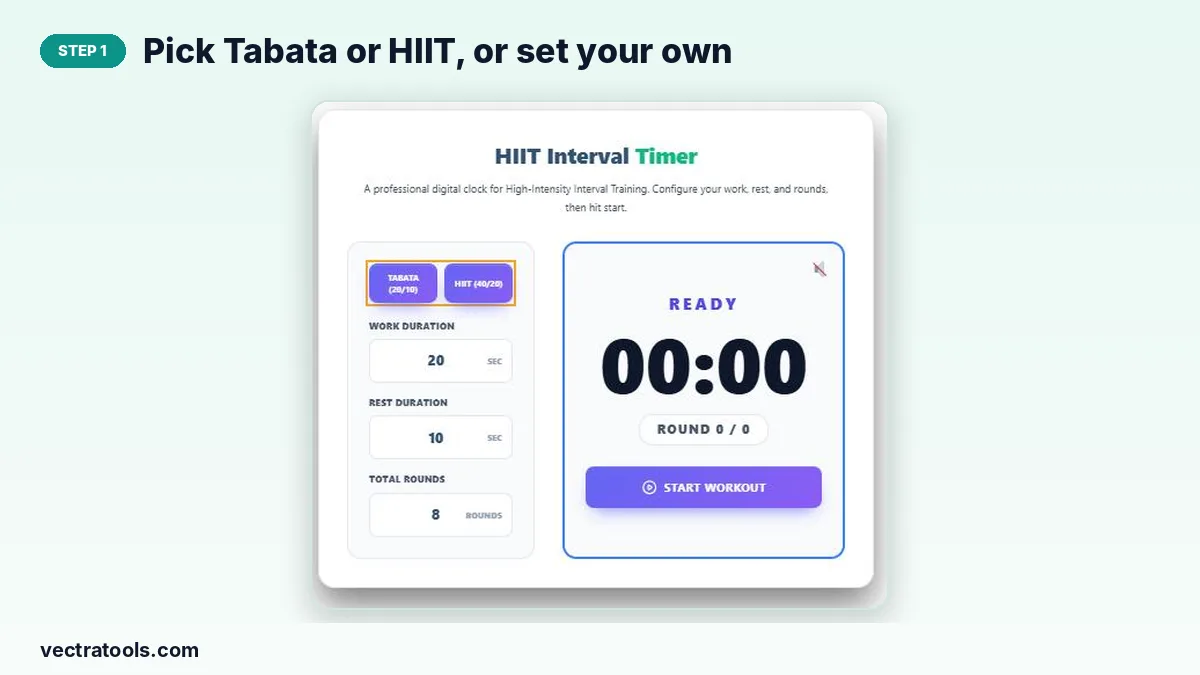
Step 1: Pick Tabata or HIIT, or Set Your Own
Tap Tabata (20/10) or HIIT (40/20) to fill in the settings instantly, or skip the presets and type custom values.
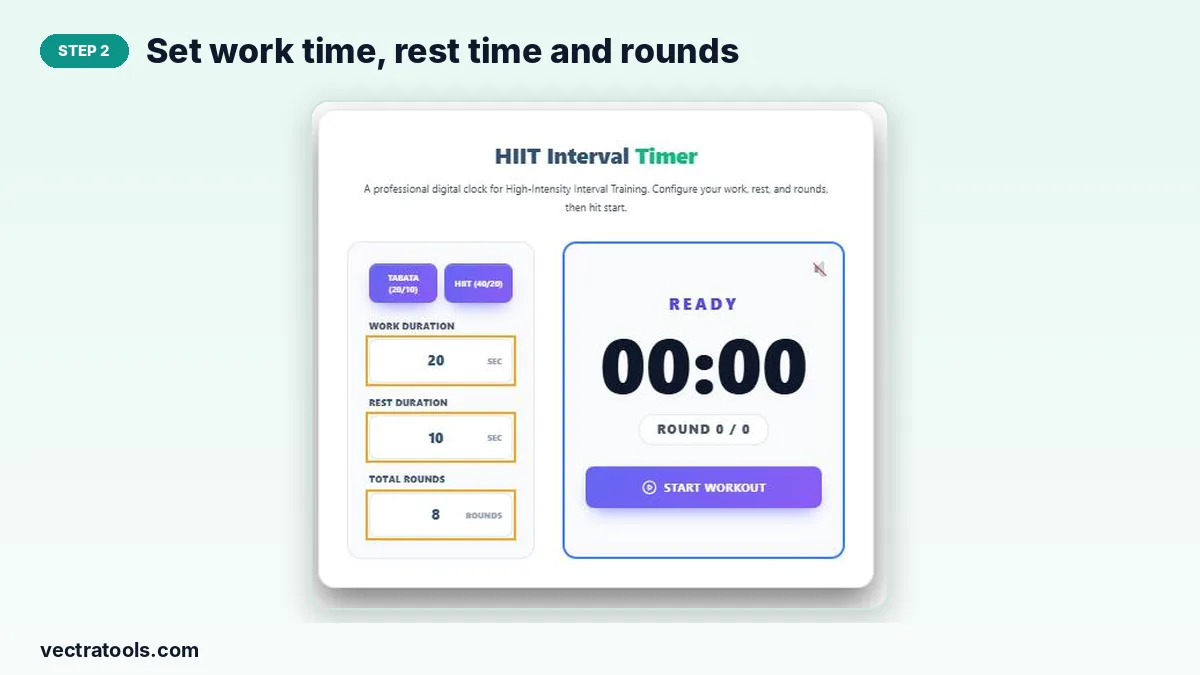
Step 2: Set Work Time, Rest Time and Rounds
Adjust Work Duration and Rest Duration in seconds and choose the total number of rounds.
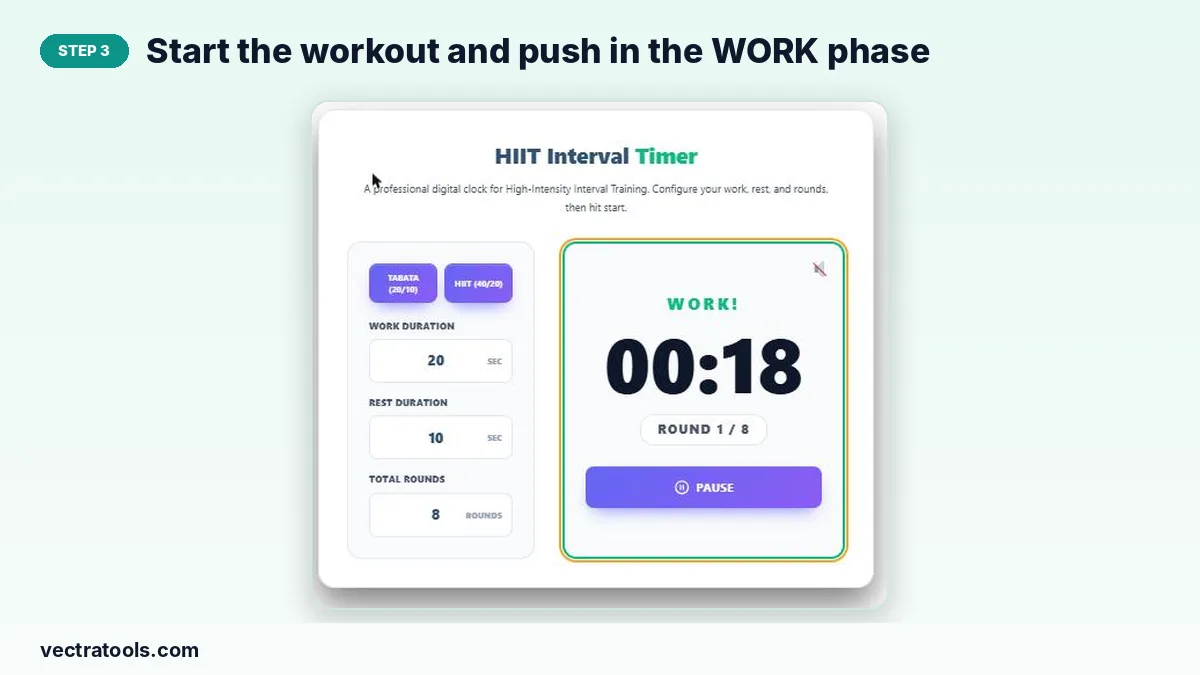
Step 3: Start the Workout and Push in the WORK Phase
Press Start Workout. After a 5-second READY countdown, the display turns to WORK and counts down your effort interval.
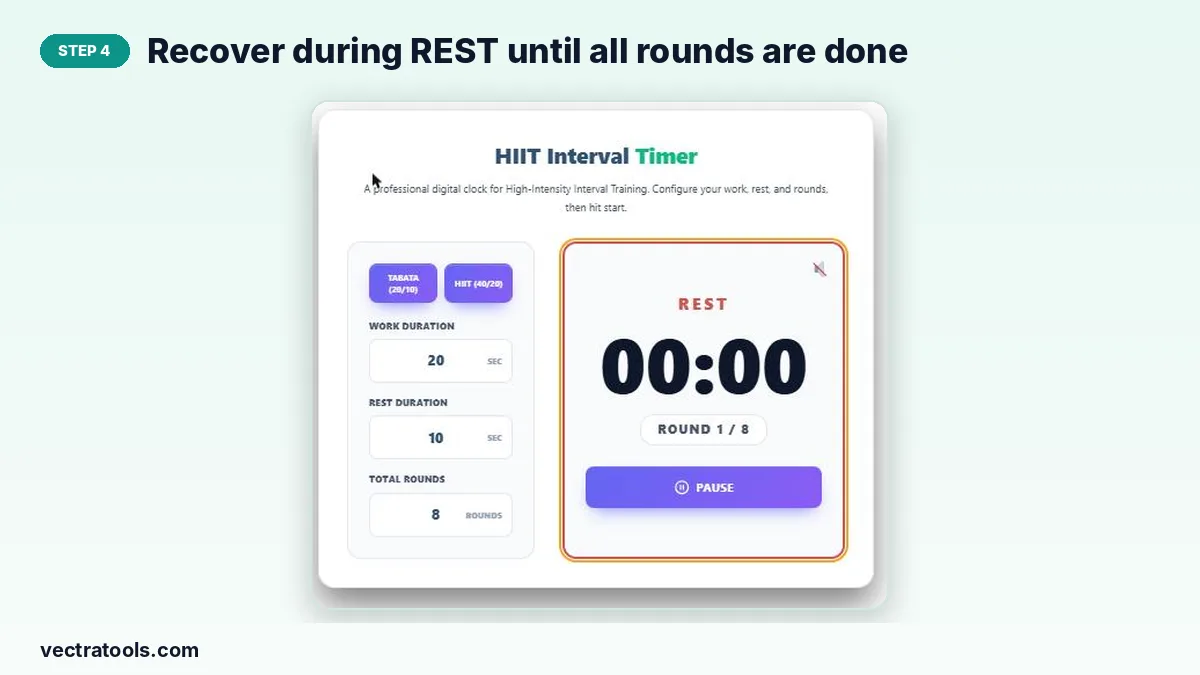
Step 4: Recover During REST Until All Rounds Are Done
When work ends, the timer switches to REST. Use Pause and Resume if you need a break, and Reset to start again.
Sample HIIT Workouts
- Bodyweight Tabata (4 min): squats, push-ups, mountain climbers, burpees, two rounds each.
- Cardio HIIT 40/20 (10 min): high knees, jumping jacks, skaters, jump rope, fast feet.
- Bike or rower: 30 seconds hard, 60 seconds easy, 8 to 10 rounds.
Tips for Safe and Effective HIIT
- Warm up for 5 to 10 minutes before the first interval.
- Keep good form; slow down rather than letting technique slip.
- Limit HIIT to 2 or 3 sessions a week with rest days between.
- Cool down and stretch after the final round.
Why Use a HIIT Interval Timer?
Watching a normal clock during intervals breaks your focus and makes it easy to cut rests short or let them run long. A HIIT interval timer keeps every round exact, so workouts are consistent and progress is easy to track from week to week.
Frequently Asked Questions
Is this HIIT interval timer free?
Yes. It is free with no sign-up or app download.
What is Tabata?
A form of HIIT with 20 seconds of all-out work and 10 seconds of rest for 8 rounds, a total of 4 minutes.
Can I set custom intervals?
Yes. Enter any work time, rest time and number of rounds.
Does the timer make sounds?
Yes. It beeps in the last three seconds of each phase. Use the speaker button to mute it.
Can I pause the workout?
Yes. Press Pause during a session, then Resume to continue or Reset to start over.
Will it work on my phone?
Yes. It runs in any modern mobile browser; keep the screen on during your workout.