

Random Team Generator – Split Names into Fair Random Teams
Random Team Generator
Paste a list of names and split them into fair random teams or groups in one click
Teams
Quick answer
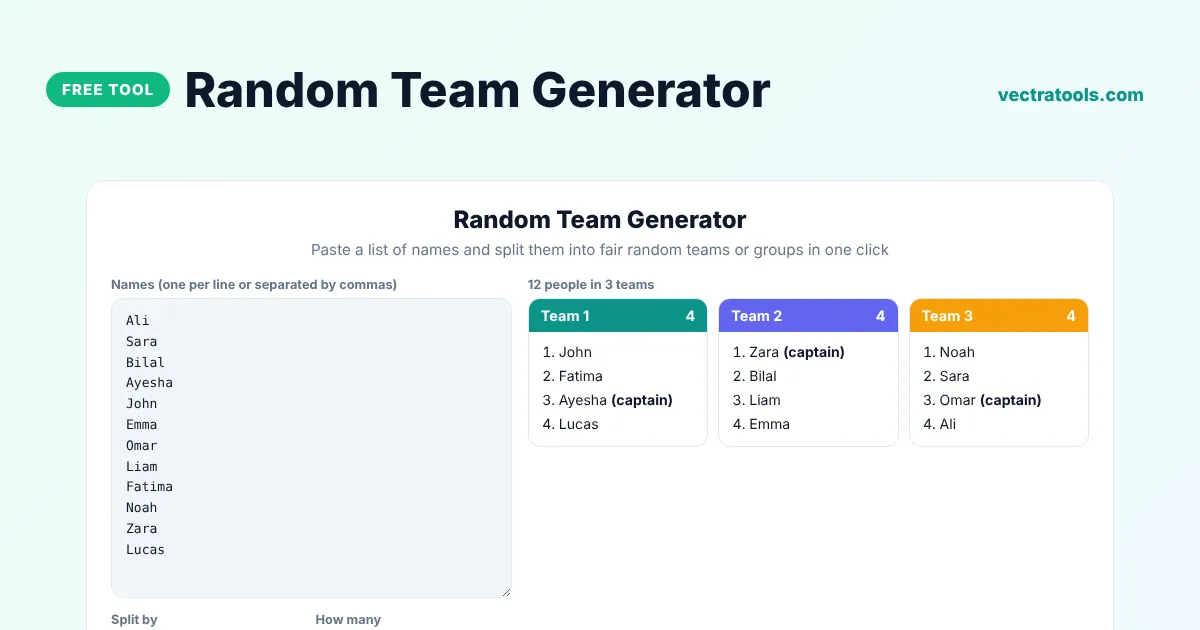
A random team generator splits a list of people into teams by chance, so nobody can say the teams were picked unfairly. Paste the names, choose how many teams you want or how many people should be in each team, and click Make teams. The tool shuffles the list, balances team sizes and can pick a random captain for each team.
Our free random team generator is used by teachers for group work, coaches for training games, managers for workshops and friends for game nights. It accepts names on separate lines or separated by commas, removes duplicates if you want and lets you copy the finished teams in one click.
Ways to Split Your Group
| Option | Example | Result |
|---|---|---|
| Number of teams | 12 people, 3 teams | 3 teams of 4 |
| People per team | 12 people, 5 per team | 3 teams of 4, 4 and 4 |
| Uneven numbers | 13 people, 3 teams | Teams of 5, 4 and 4 |
What the Random Team Generator Does
- Shuffles names with a secure random generator so every arrangement is equally likely.
- Keeps team sizes as even as possible.
- Removes duplicate names, ignoring capital letters.
- Picks a random captain in each team if you want one.
- Colour-codes teams and copies them as plain text.
How to Use the Random Team Generator
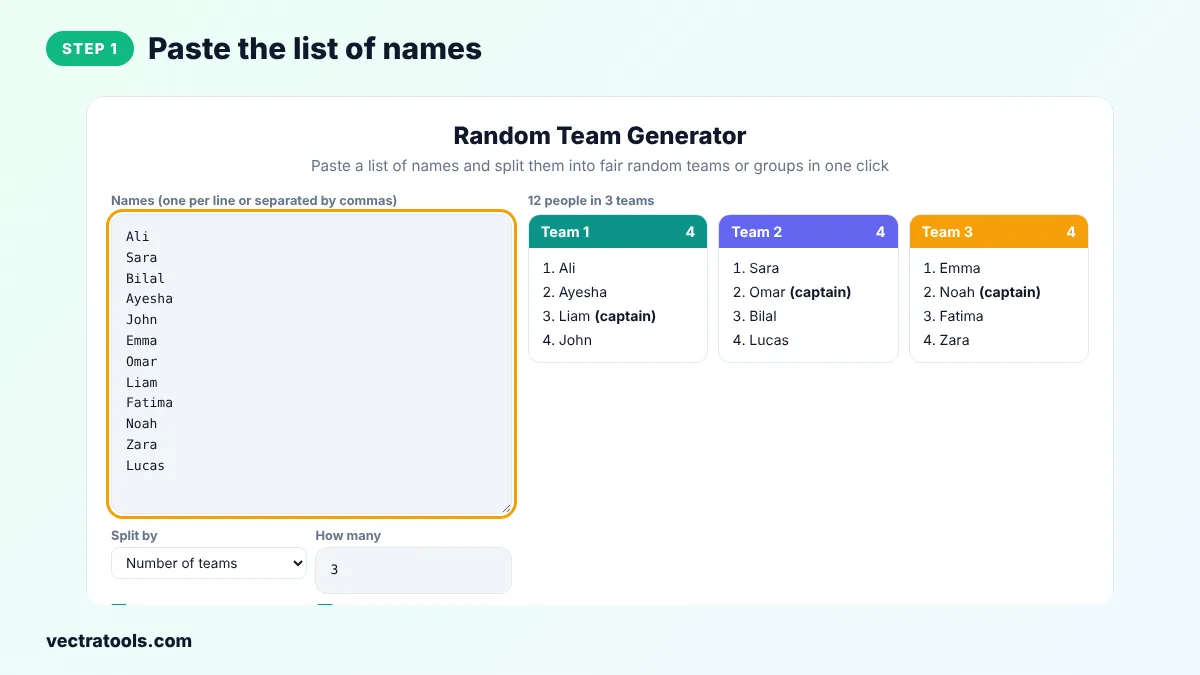
Step 1: Paste the List of Names
Type or paste the names into the box, one per line or separated by commas. You can copy a column straight from a spreadsheet.
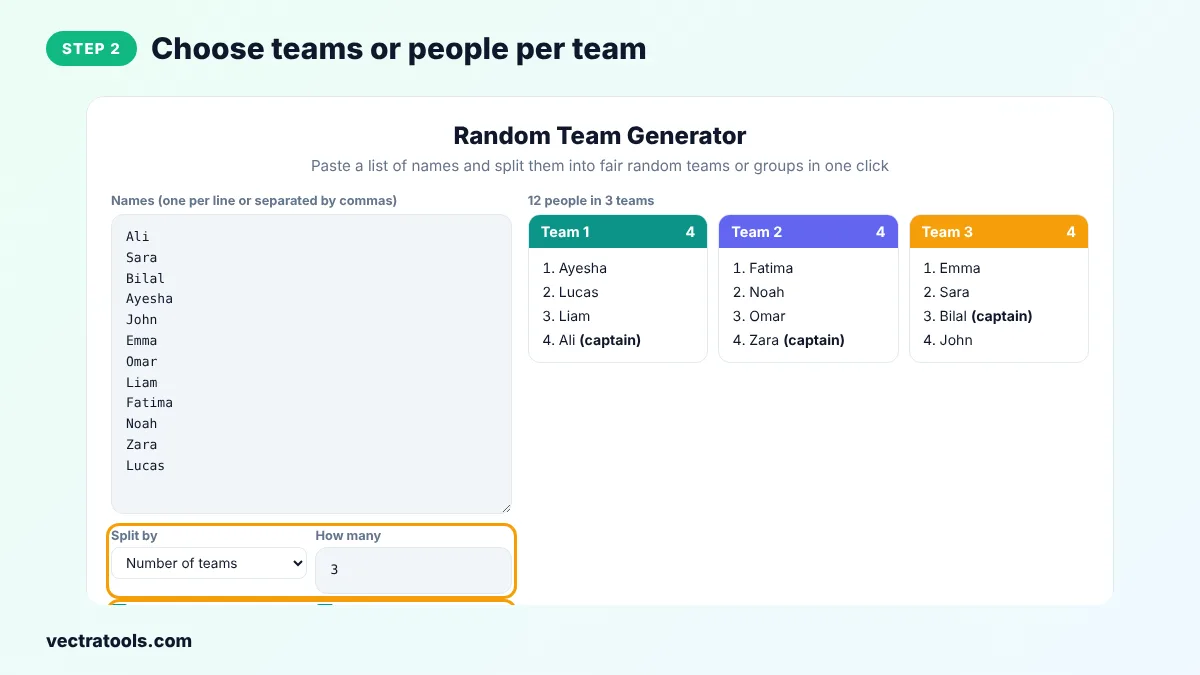
Step 2: Choose Teams or People per Team
Select Number of teams or People per team and enter the number. Tick Remove duplicate names and Pick a random captain if you need them.
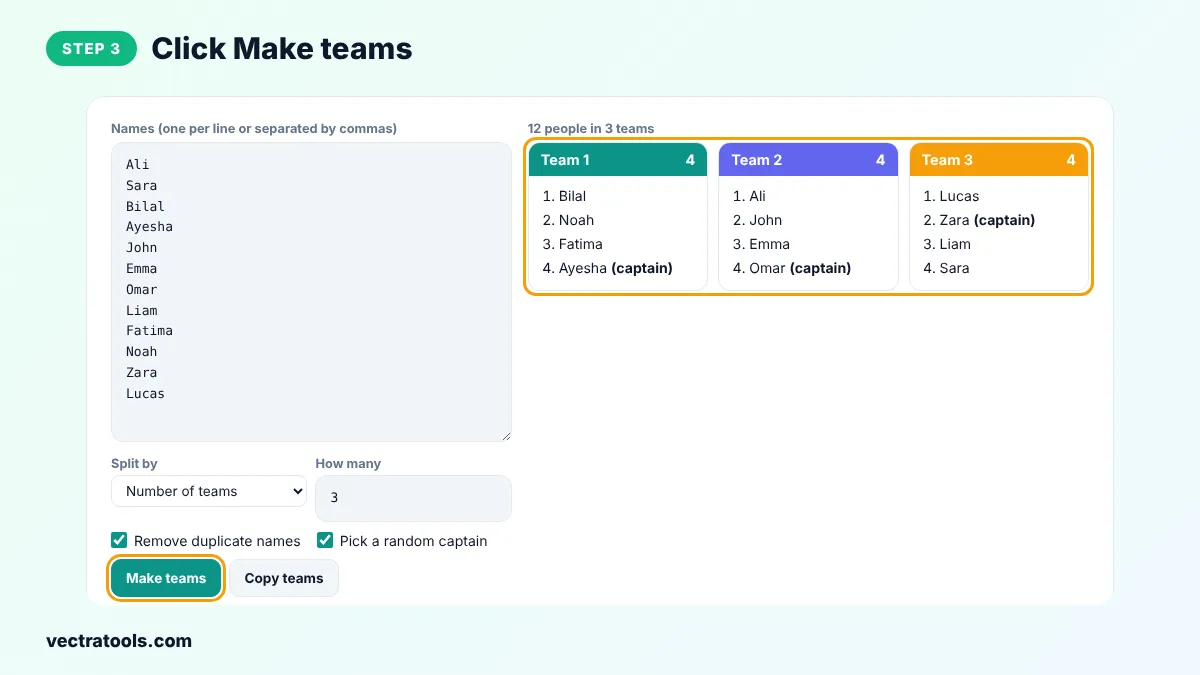
Step 3: Click Make Teams
Click Make teams. The tool shuffles the names and shows each team in its own coloured card with the number of members.
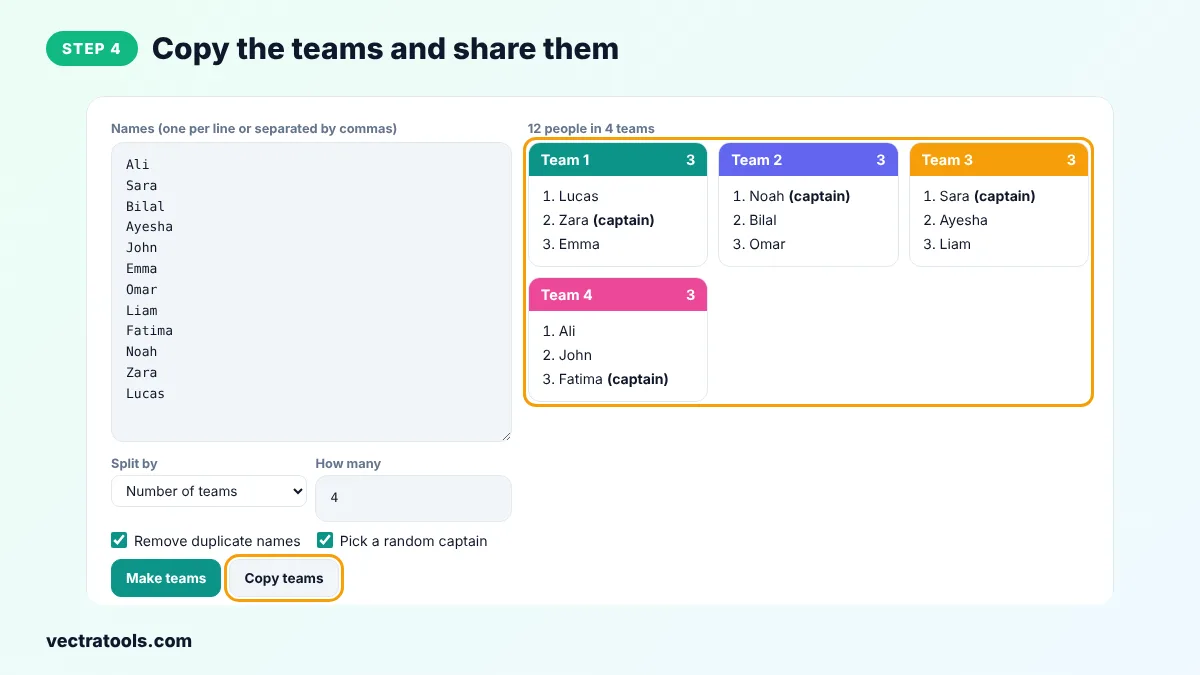
Step 4: Copy the Teams and Share Them
Click Copy teams to copy every team as a line of text, ready to paste into a chat, an email or a slide. Click Make teams again for a new random split.
A random team generator removes arguments about who picked whom, saves time in class and mixes people who would not usually work together. Because this random team generator uses crypto.getRandomValues, the split cannot be predicted or nudged.
Tips for Fair Teams
- Project the screen and click Make teams in front of everyone so the draw is transparent.
- If skill matters, make separate lists of strong and newer players, split each list into the same number of teams and combine them.
- Rotate teams every session to help everyone get to know each other.
- Use People per team for projects that need a fixed group size, such as pairs or groups of four.
Uses in School and at Work
Teachers use random groups for projects, debates and lab work. Coaches use them for drills and scrimmages. Managers use them for workshops, hackathons and icebreakers. Event hosts use them for quizzes and escape rooms.
Frequently Asked Questions
How does the random team generator work?
It shuffles your list with a secure random generator and then deals the names into the teams one by one, like dealing cards, so team sizes stay even.
Can I choose the number of people per team?
Yes. Choose People per team in the Split by menu and enter the size.
What happens if the names do not divide evenly?
Some teams get one extra person. The difference between team sizes is never more than one.
Can I paste names from Excel or Google Sheets?
Yes. Copy the column and paste it. Each cell becomes one line.
Is there a limit on the number of names?
No fixed limit. It works well with hundreds of names.
Can it pick a team captain?
Yes. Tick Pick a random captain and one member of each team is marked as captain.
Is the random team generator free?
Yes. It is free, needs no sign-up and runs in your browser.